Texting story videos
Chat Story Maker for TikTok, Reels & Shorts
Texting stories are one of the most watched formats on TikTok, Reels and YouTube Shorts. FauxChat is a chat story maker for iPhone: write the conversation, tune the timing, then screen-record the playback and you have a ready-to-edit texting story video.

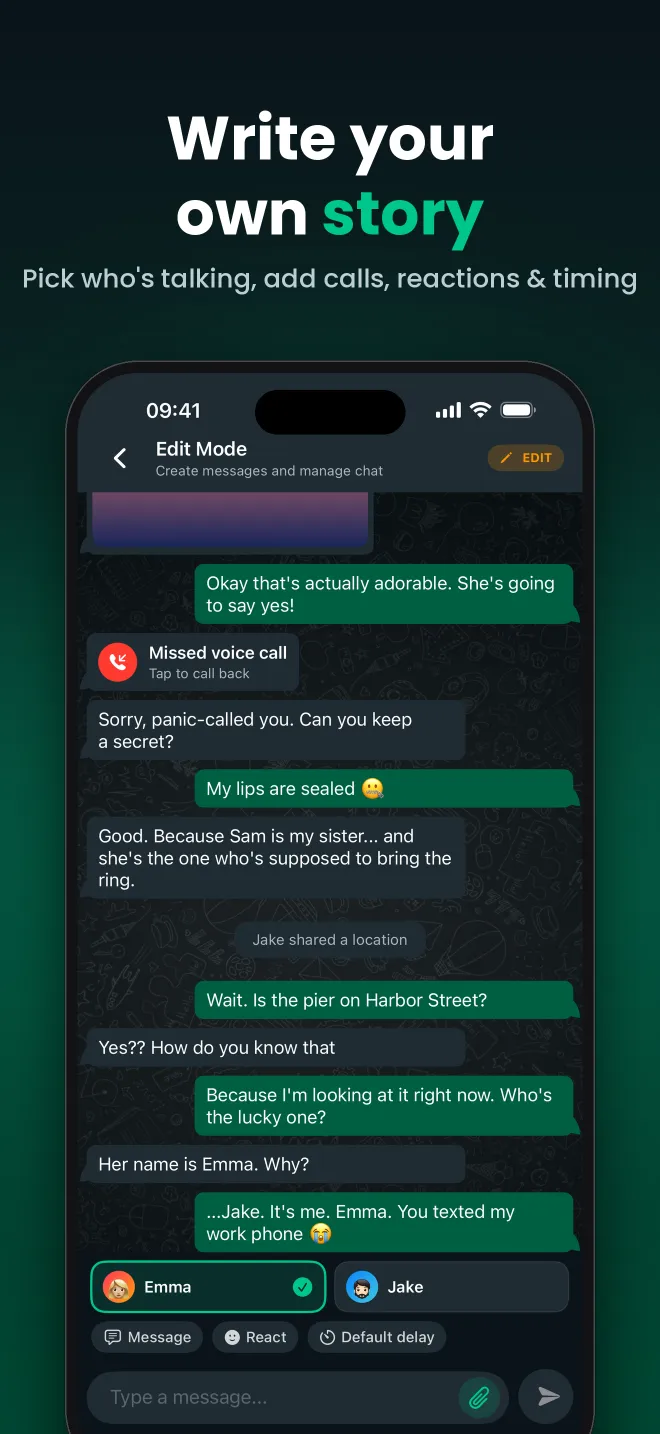
Built-in pacing for video
Viewers need time to read. Set a delay on each message so short replies pop in quickly and big reveals get a dramatic pause. Because the timing is saved with the chat, you can re-record a take any time.
Hooks, twists and cliffhangers
Use deleted messages, missed calls and date dividers to build tension. Split a long story into parts and keep the same characters across every episode, since contacts are reusable.
Record in one take
Start the iOS screen recorder, press play in FauxChat and let the story run. Add music, voice-over or text-to-speech in your favourite video editor afterwards.
How it works
- Write your story as a chat in FauxChat.
- Set the delay for each message to control the pace.
- Start the iPhone screen recorder from Control Center.
- Press play in FauxChat and let the story run.
- Edit, add audio and post to TikTok, Reels or Shorts.
What you can add to a FauxChat conversation
Custom contacts
Names and profile photos for every person, reusable across chats.
Photos & videos
Attach images and videos to messages, with optional captions.
Missed calls
Drop in missed voice and video calls at exactly the right moment.
Reactions
Add emoji reactions to any message, just like a real chat.
Deleted messages
Show a “This message was deleted” bubble to build suspense.
Message timing
Set a delay per message and play the chat back in real time.
Popular chats from the community
Frequently asked questions
What is a texting story video?
A texting story is a short video that tells a story through a chat conversation, with messages appearing one by one. They are popular on TikTok, Instagram Reels and YouTube Shorts.
Can I export a video directly from FauxChat?
Use the built-in iPhone screen recorder while the chat plays. This gives you a full-resolution video you can edit in any app.
Can I make multi-part stories?
Yes. Contacts are saved in your library, so the same characters can appear in part 1, part 2 and beyond.
Related guides
Text Story App: Read and Create Chat Stories
FauxChat is a text story app for iPhone. Read chat stories written by the community, rate your favourites, and...
Scary Text Stories and Horror Chat Stories
Read and create scary text stories on iPhone. FauxChat plays horror chat stories message by message, with eeri...
Fake Group Chat Generator
Make a fake group chat on iPhone with FauxChat. Add multiple contacts with names and photos, write the message...
Start your first chat today
FauxChat is free to download for iPhone. Create a conversation in minutes, play it back and share it with friends.