Fake chat generator
Fake WhatsApp Chat Generator for iPhone
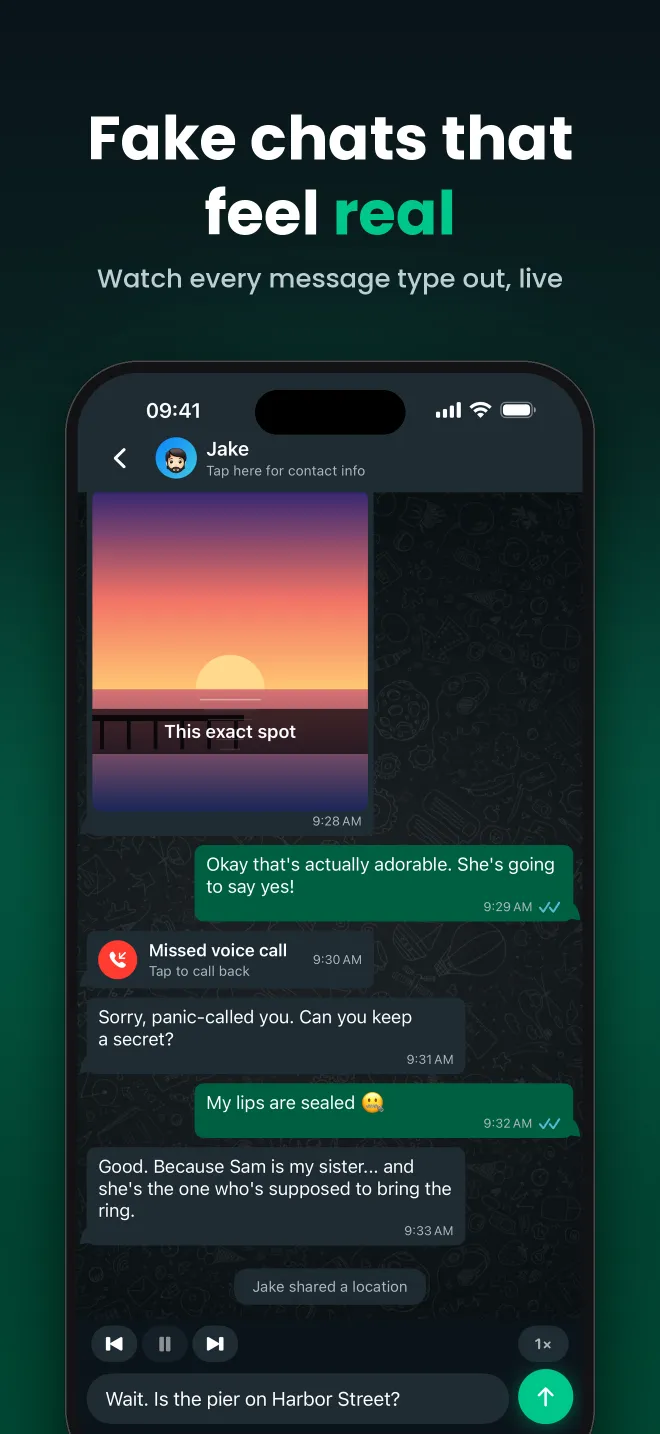
FauxChat is a fake WhatsApp chat generator built for iPhone. Instead of filling in a static form and exporting one image, you build a real conversation: pick who is talking, type the messages, and FauxChat plays the chat back message by message in a familiar WhatsApp-style interface, complete with typing pauses.

More than a screenshot generator
Most fake chat generators produce a single picture. FauxChat keeps the whole conversation as an interactive chat, so you can replay it, edit it later, share it with a link, and screenshot or screen-record any moment you like. That makes it just as useful for a quick joke as it is for a long chat story.
Everything a real chat has
Give each contact a name and profile photo, then add text messages, photos and videos with captions, emoji reactions, deleted messages, missed voice and video calls, date dividers and system messages. You decide how long each message waits before it appears, so the chat feels like someone is really typing.
Made for iPhone
FauxChat is a native iOS app, so building a conversation feels like texting. There is no website to fiddle with on a small screen.
How it works
- Download FauxChat from the App Store.
- Create the contacts for your chat and give them names and profile photos.
- Write the conversation: text, photos, videos, reactions and missed calls.
- Set the timing between messages and hit play to watch the chat unfold.
- Share the chat with a link, or screenshot and screen-record it.
What you can add to a FauxChat conversation
Custom contacts
Names and profile photos for every person, reusable across chats.
Photos & videos
Attach images and videos to messages, with optional captions.
Missed calls
Drop in missed voice and video calls at exactly the right moment.
Reactions
Add emoji reactions to any message, just like a real chat.
Deleted messages
Show a “This message was deleted” bubble to build suspense.
Message timing
Set a delay per message and play the chat back in real time.
Popular chats from the community
Frequently asked questions
Is FauxChat free?
Yes. You can download FauxChat for free from the App Store and start creating fake chats straight away.
Does FauxChat send real WhatsApp messages?
No. FauxChat only simulates a chat inside the app. Nothing is sent through WhatsApp and nobody is contacted. FauxChat is not affiliated with WhatsApp or Meta.
Can I add pictures and videos to a fake chat?
Yes. You can attach photos and videos to any message, add a caption, and they appear in the conversation just like a real media message.
Related guides
Make a Fake WhatsApp Screenshot
Make a realistic fake WhatsApp-style chat screenshot on iPhone. Build the conversation in FauxChat, play it to...
Fake Group Chat Generator
Make a fake group chat on iPhone with FauxChat. Add multiple contacts with names and photos, write the message...
WhatsApp Chat Simulator
Simulate a WhatsApp-style chat on iPhone. FauxChat replays your scripted conversation in real time with typing...
Start your first chat today
FauxChat is free to download for iPhone. Create a conversation in minutes, play it back and share it with friends.