Fake texts
Fake Text Message Generator
Need a believable text conversation for a video, a story, a joke or a mock-up? FauxChat lets you write both sides of a fake text message thread on your iPhone and play it back one message at a time, the way texts actually arrive.

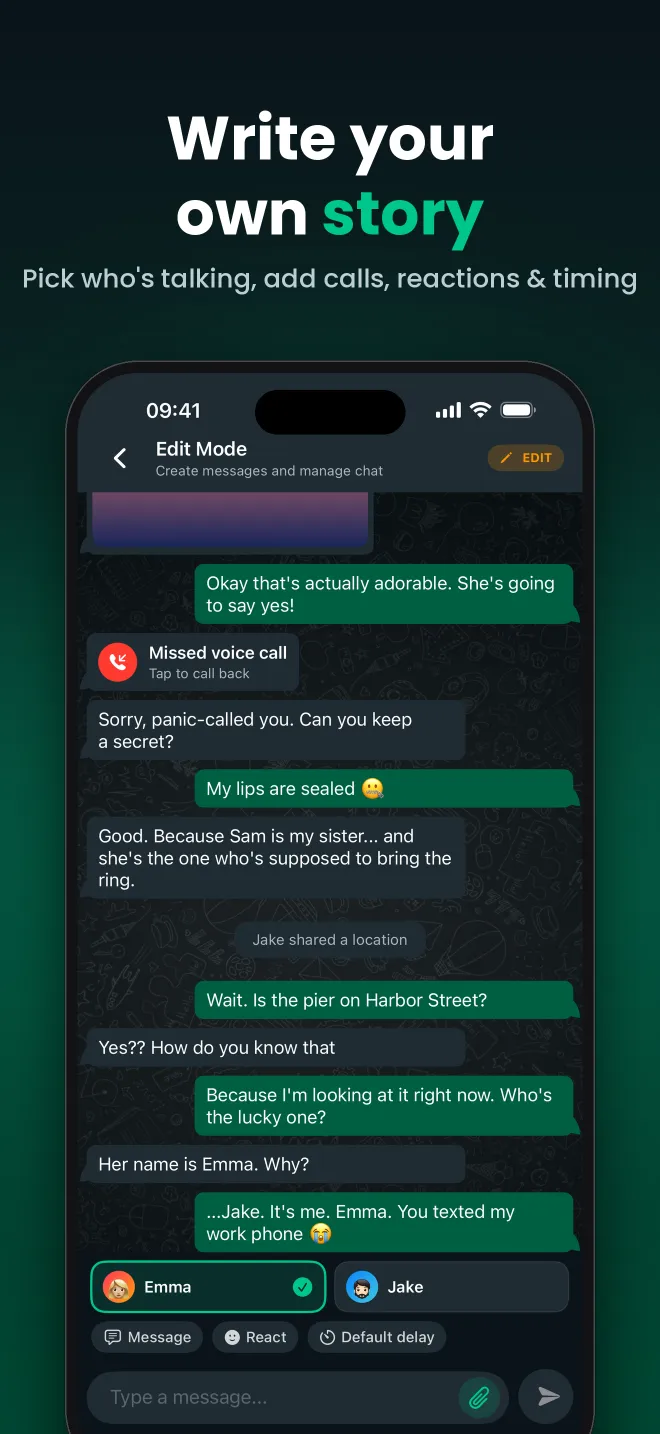
Write both sides of the conversation
Create as many contacts as you need and switch between them while you type. Every message is saved in order, so you can go back, fix a typo, insert a message in the middle, or delete a line without starting over.
Timing that feels real
Real texts do not arrive all at once. In FauxChat you can set a delay for every single message, so a reply can land instantly or after a dramatic pause. Press play and the conversation unfolds in real time.
Useful for creators, writers and pranksters
People use fake text messages for TikTok and YouTube texting stories, short fiction, app and UI mock-ups, classroom examples and harmless pranks. FauxChat gives you one place to write, store and replay all of them.
How it works
- Install FauxChat on your iPhone.
- Add the people in the conversation.
- Type the messages for each person in order.
- Adjust the delays and play the texts back.
What you can add to a FauxChat conversation
Custom contacts
Names and profile photos for every person, reusable across chats.
Photos & videos
Attach images and videos to messages, with optional captions.
Missed calls
Drop in missed voice and video calls at exactly the right moment.
Reactions
Add emoji reactions to any message, just like a real chat.
Deleted messages
Show a “This message was deleted” bubble to build suspense.
Message timing
Set a delay per message and play the chat back in real time.
Popular chats from the community
Frequently asked questions
Can the other person see fake texts I create?
No. Conversations live inside FauxChat. Nothing is sent as an SMS or chat message to anyone unless you choose to share a link to the chat.
Can I edit a fake text conversation later?
Yes. Chats are saved in the app, so you can come back to add, change or remove messages at any time.
Related guides
Fake Conversation Maker
FauxChat is a fake conversation maker for iPhone. Script a chat between any characters, add media and reaction...
Chat Story Maker for TikTok, Reels & Shorts
Make texting story videos for TikTok, Instagram Reels and YouTube Shorts. Write the chat in FauxChat, set the...
Fake Chat Prank App
Pull off harmless fake chat pranks with FauxChat. Write a convincing conversation, play it back like a real ch...
Start your first chat today
FauxChat is free to download for iPhone. Create a conversation in minutes, play it back and share it with friends.