Chat screenshots
Make a Fake WhatsApp Screenshot
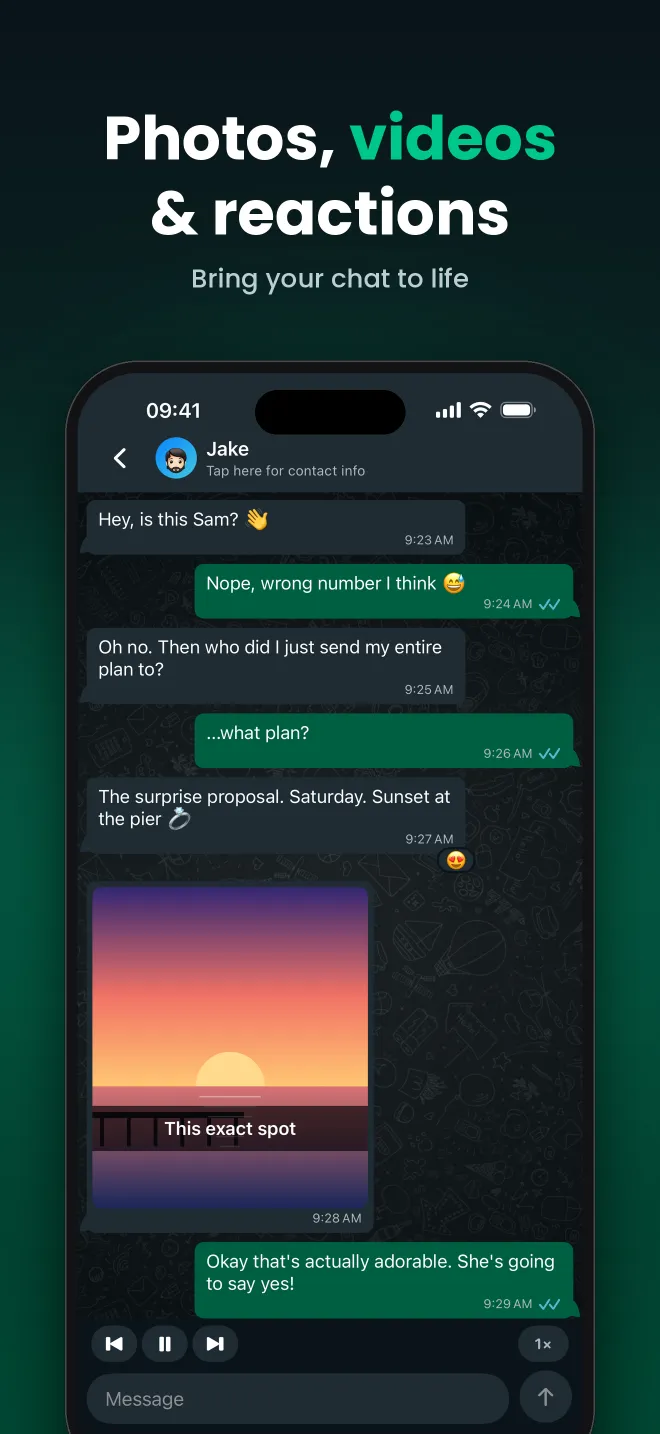
Want a fake WhatsApp-style chat screenshot for a meme, a joke or a mock-up? With FauxChat you build the conversation first and then capture it with your iPhone's normal screenshot buttons, so the result looks just like a real chat on your phone.

Why build the chat instead of drawing it
Image editors and online generators make you position every bubble by hand. In FauxChat you simply type the messages and the layout takes care of itself: bubbles, profile photos, timestamps and read ticks all line up the way you expect.
Capture the perfect moment
Because the chat plays back message by message, you can stop at the exact moment you want, right before the punchline or just after the shocking reply, and take your screenshot there.
Use it responsibly
Fake screenshots are great for jokes, memes, stories and design mock-ups. Please do not use them to deceive, harass or impersonate real people.
How it works
- Create a chat in FauxChat with the contacts you need.
- Type the messages you want in the screenshot.
- Play the chat until the moment you want to capture.
- Press the side button and volume up on your iPhone to take a screenshot.
What you can add to a FauxChat conversation
Custom contacts
Names and profile photos for every person, reusable across chats.
Photos & videos
Attach images and videos to messages, with optional captions.
Missed calls
Drop in missed voice and video calls at exactly the right moment.
Reactions
Add emoji reactions to any message, just like a real chat.
Deleted messages
Show a “This message was deleted” bubble to build suspense.
Message timing
Set a delay per message and play the chat back in real time.
Popular chats from the community
Frequently asked questions
Can I make a screen recording instead?
Yes. Start the iOS screen recorder from Control Center and press play in FauxChat to capture the whole conversation as a video.
Is FauxChat the real WhatsApp?
No. FauxChat is an independent app that recreates a WhatsApp-style chat look for entertainment. It is not affiliated with WhatsApp or Meta.
Related guides
Fake WhatsApp Chat Generator for iPhone
Create realistic fake WhatsApp-style chats on your iPhone. Add contacts with profile photos, images, videos, r...
Fake Chat Prank App
Pull off harmless fake chat pranks with FauxChat. Write a convincing conversation, play it back like a real ch...
Chat Story Maker for TikTok, Reels & Shorts
Make texting story videos for TikTok, Instagram Reels and YouTube Shorts. Write the chat in FauxChat, set the...
Start your first chat today
FauxChat is free to download for iPhone. Create a conversation in minutes, play it back and share it with friends.